One challenge writers have is constantly creating content for social media. We have to develop a platform, and that means we need content. But the content has to be fresh, professional and most important of all easy to create. We're writers after all!
Over time, I've found a few tools that help me create visuals like the one above. I'm still learning, but I hope these tips will help you. I'd also love to hear what you use!

1) PicMonkey.com. Tricia Goyer told me about this website several years ago and I LOVE IT! It has truly been a life saver for me. I love that you don't need to register -- though if you pay a bit each month, you get rid of all the crazy ads. Still, if I have to have log-in information to remember one more place I might go crazy. Certainly, my brain will explode and that is simply bad for this homeschooling momma and writer. The website is fairly intuitive, but you'll want to play around for a bit.
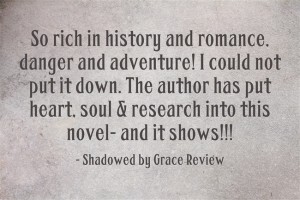
On PicMonkey.com, there are several options. You can upload a photo you've taken and add text, edit to change the look, add overlays, etc. Or you can design collages and Facebook headers. You can start with a blank slate and create a quote. I made this book review pull quote on PicMonkey.com. Those with better design skills could make it sing, but I liked it :-) If you're going to do something like this, start with an image that does not have the quote. Then it's super easy to open it, add the quote, and save it as a new image without recreating the basic image each time.
2) Quozio.com: This website is perfect when you want to create a quick quote. Once you're on the website, you enter your text, where it's from/who said it, and hit enter. After that it creates an image. You may choose from approximately 20 backdrops with preset fonts. This is not for those who like to create on their own. You have no design flexibility. However, it is GREAT for quick pull quote images. Download it to your desktop. Upload it to a blog, Facebook, Instagram, etc., and away you go. This verse is one I made on Quozio a couple years ago. It's also great for pull quotes from book reviews.


BONUS: 4) DollarPhotoClub.com: When creating graphic images, using photos you've taken ensures you're in compliance with copyright laws. But if you haven't taken the right image that you need, the DollarPhotoClub.com is a great place to explore. For $1 per image, you can find great photos that make your verses, ideas, etc., come to life. If you would like an invitation to join, let me know in the comments. Here's an example of a photo I bought at DollarPhotoClub.com and edited on PicMonkey.com:

This final graphic is one I made on Canva.com, and then edited at PicMonkey.com

What tools do you use?
____________________


An award-winning author of twenty books, Cara is a lecturer on business and employment law to graduate students at Purdue University’s Krannert School of Management. Putman also practices law and is a second-generation homeschooling mom. She lives with her husband and four children in Indiana.